Text messages from Mezzo
Mezzo is a home-services platform for homeowners and home-improvement contractors in Connecticut. If you choose to, Mezzo texts you about your own account: new quotes and messages on your jobs, schedule updates, payment and invoice notices, and home-maintenance reminders. Mezzo never sends marketing texts.
Texts are covered by Mezzo’s Terms & Conditions and Privacy Policy.
How you agree to texts
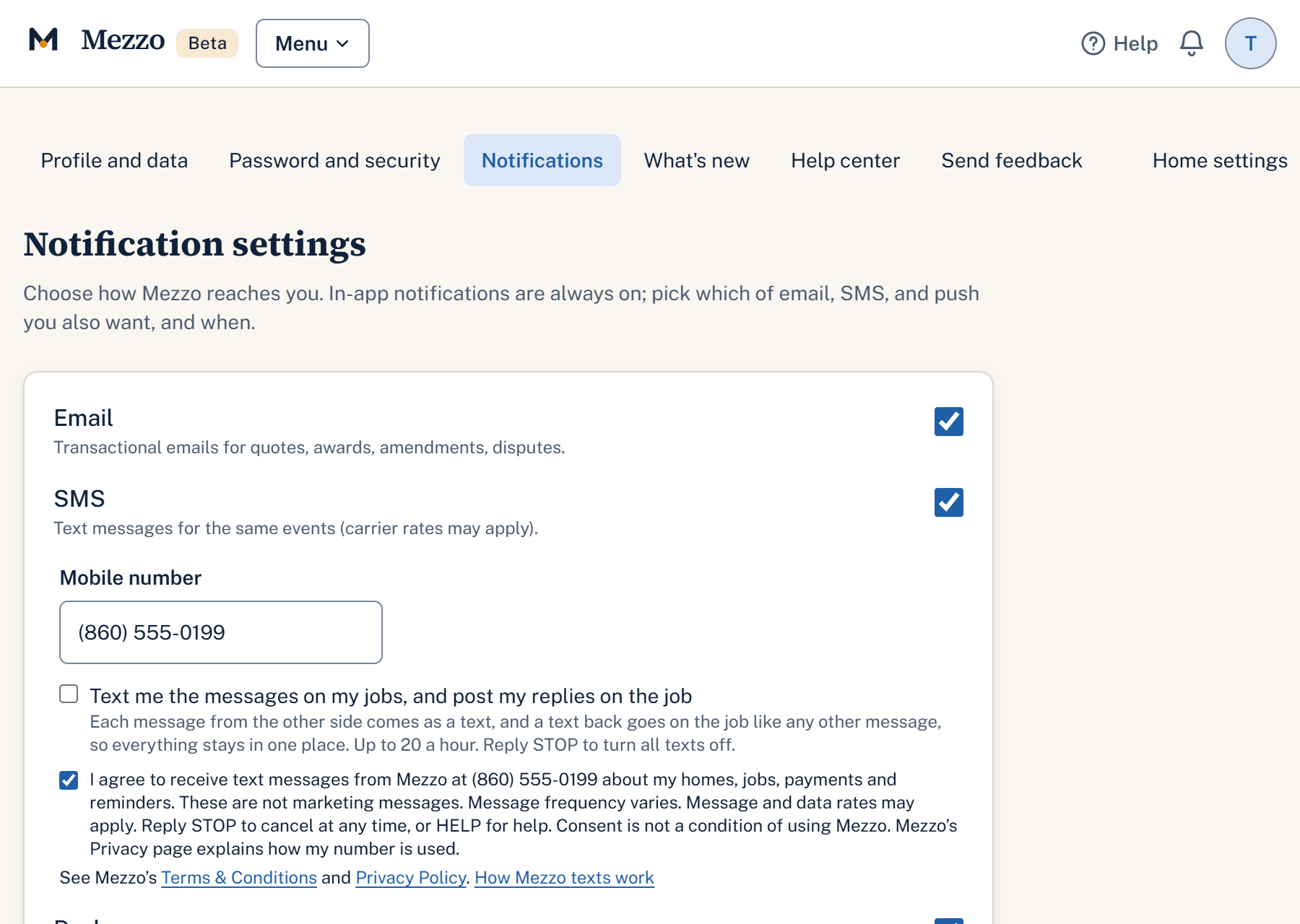
Texts are off until you turn them on. There is no pop-up and no chat widget; it is a form on your account settings.
- Sign in at mezzoapp.com and open Settings, Notifications.
- Switch on SMS and enter your US mobile number.
- Tick the box beside the statement below. It starts unticked, and texts cannot be turned on without it.
- Select Save preferences. Mezzo records the time, the number and the exact wording you agreed to.
The statement beside the box, word for word:
Directly under the box the form links to Mezzo’s Terms & Conditions and Privacy Policy. You agree to texts with Mezzo directly, and your number and consent are never shared with third parties or affiliates for marketing or promotional purposes.
After you agree
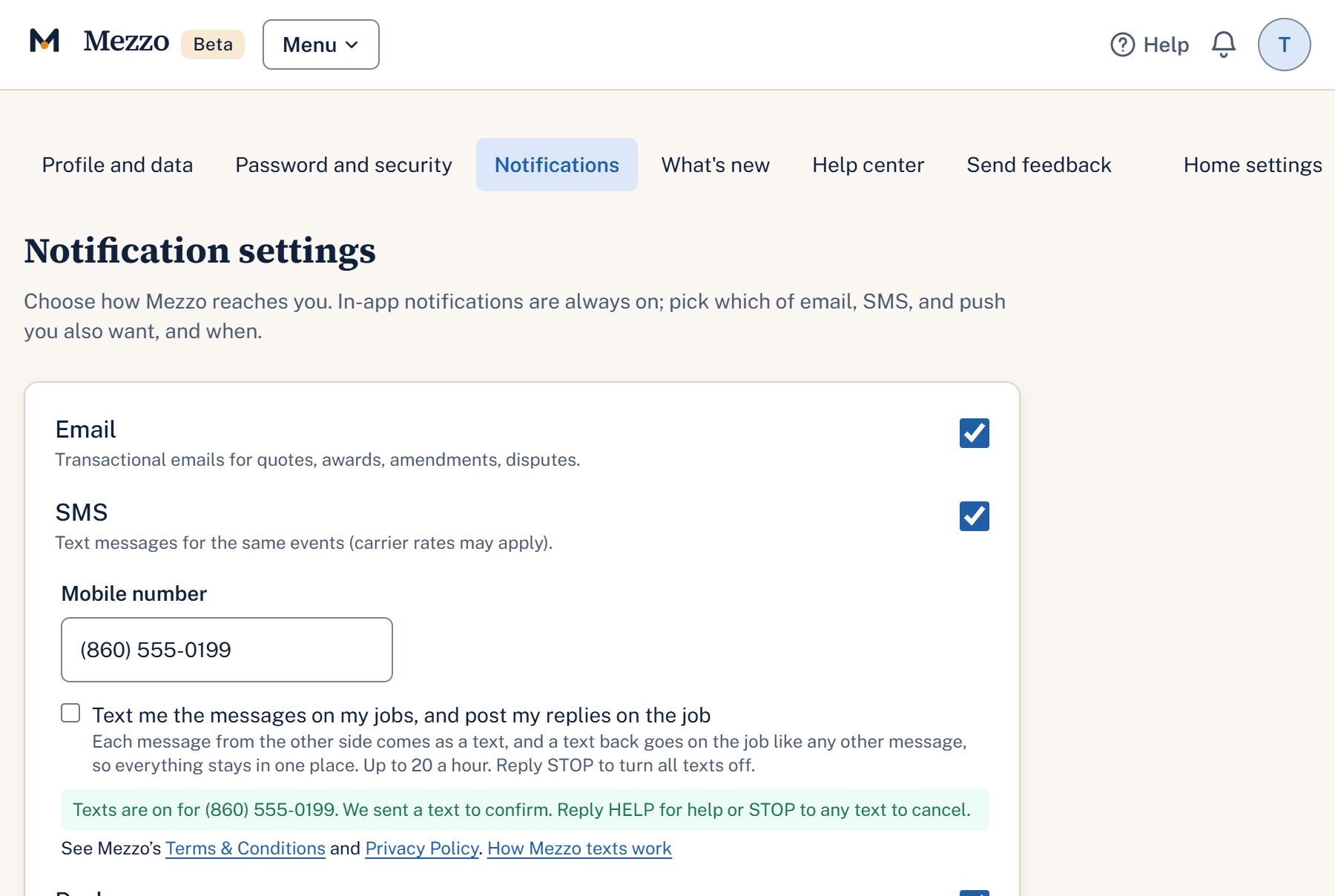
The page confirms texts are on, and Mezzo sends one text to confirm:
Mezzo: You will now get texts about your homes, jobs and payments. Message frequency varies. Msg & data rates may apply. Reply HELP for help, STOP to cancel.
The details
- Message frequency varies with your activity on Mezzo. Message and data rates may apply.
- Agreeing to texts is not a condition of using Mezzo or buying anything.
- To stop: reply STOP (or STOPALL, UNSUBSCRIBE, CANCEL, END, QUIT, REVOKE, OPTOUT) to any text, or switch SMS off in Settings. We reply: “Mezzo: You are unsubscribed and will get no more texts from us. You can still see everything in the app. Reply START to turn texts back on.”
- To start again: reply START (or YES, UNSTOP, SUBSCRIBE). We reply: “Mezzo: Texts are back on. Message frequency varies. Msg & data rates may apply. Reply STOP to cancel, HELP for help.”
- For help: reply HELP (or INFO), or email support@mezzoapp.com. We reply: “Mezzo: Texts about your homes, jobs and payments. Help: mezzoapp.com or reply STOP to cancel. Msg & data rates may apply.”
- Carriers are not liable for delayed or undelivered messages.
- Mobile numbers and text-message consent are not shared with third parties or affiliates for marketing or promotional purposes.